[MAINTENANCE] Maintenance Date Changed(2-10 05:00)

Thank you for playing Iruna Online.

We would like to announce that an unshceduled maintenance will be held on Wednesday, February 11th.

The scheduled maintenance planned on Tuesday for this week has been cancelled.

- Unscheduled Maintenance -

From: Wednesday, February 11th at 10:00 pm (PST)
Until: Thursday, February 12th at 2:00 am (PST)

*Update contents, bug fixes and maintenance hours are subject to change.

We cannot reply to any questions about update details.Please log out of the game before the maintenance begins.

If you are still playing when the maintenance begins, the items you obtained may not be saved properly.

Thank you for your cooperation.

Iruna Team

[OTHERS] New Costume Box "Wyvern Box" now released!(2-7 04:00)

Thank you for playing Iruna Online.

Item Shop Information

- New Costume Box "Wyvern Box" is now released! -

A new costume box "Wyvern Box" has been added in the Item Shop.


- Costume Box: "Wyvern Box" has been added.

When you open "Wyvern Box", you will get 1 item at random.

You may win all the costume in "Wyvern Box"!

*Please check the item line up in the purchase screen for the each item detail.
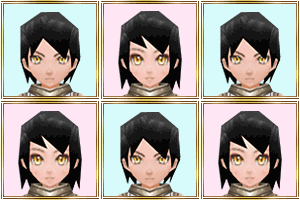


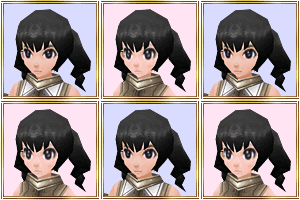
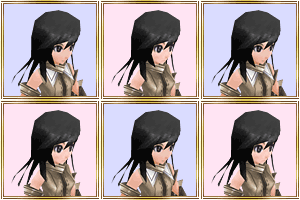
New face and hairstyles are added in "Wyvern Box"!

- New Face and Hairstyles -


- Face: "Face 18"


- Hairstyle: "Man Type Hair 16"


- Hairstyle: "Woman Type Hair 16"


- How to Use "Face", "Hairstyle" and "Dye" -

1."Face" and "Hairstyle" are in MENU>Items>Coins section.

2. Select the item and tap "use" button. For logging in character only.

You can change the face, hairstyle and hair color by using the items from Coins section.
The default face is "Face 1". If you want to change the face, please use another "Face" item.
Once you change the face, hairstyle and dye, you cannot change back to the previous face, hairstyle and dye until you use the items.

Check them out in the Item Shop!

Iruna Team

[OTHERS] End-of-Sale: "Ninja Box"(2-6 08:00)

Thank you for playing Iruna Online.

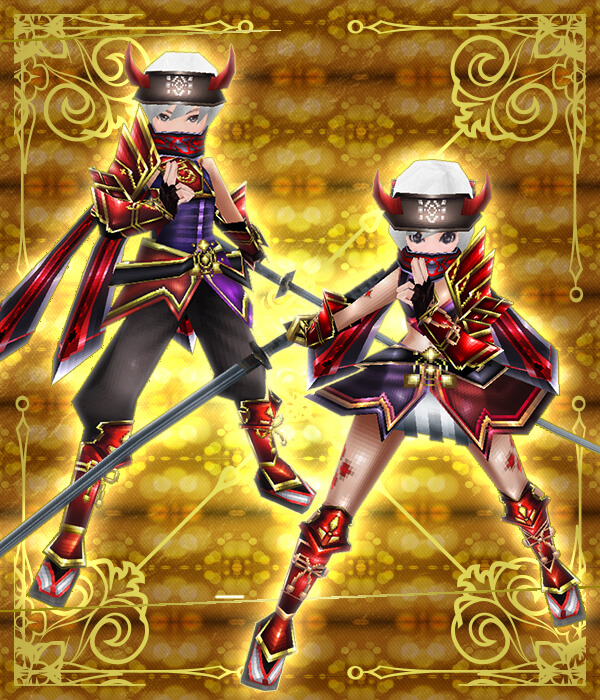
- End-of-Sale: "Ninja Box" -

"Ninja Box" will no longer sell from 2/8/2015 at 12:59 am (PST).

End-of-Sale Announcement: "Ninja Box"


- Ninja Box

End-of-Sale Date

End-of-Sale: 2/8/2015 at 12:59 am (PST)

*Please check the item line up in the purchase screen for the each item detail.
Don't miss this chance and check them out in the Item Shop!

Iruna Team

[BUGS] Bugs on Android OS 5.0 or higher(2-6 02:25)

Thank you for playing Iruna Online.

We would like to announce the bug confirmed on Android OS 5.0 or higher.

- Bug -

- Pull-down menu does not show up properly in the Item Shop.

e.g.) Pull-down menu to select the number of items.

This bug does not affect the functions in the Item Shop and gameplay.

We will announce on our official website and News when the bug is fixed.

We deeply apologize for the inconvenience caused.

- Note -

Please contact us via the inquiry form on our Official Website if you confirm the bugs on Android OS 5.0 or higher.

* Please contact Google Inc, or your device manufacturer for questions regarding the Android OS updates.
* Please note that any OS updates shall be proceeded at your own risk.
* Android, the Android logo, Google Play, the Google Play logo are registered trademarks or trademarks of Google, Inc.

Iruna Team

[UPDATE] Update Information (2.6.2E)(2-4 03:50)

The app update has been successfully completed.

The latest version of the application is "2.6.2E".

Please download version "2.6.2E" from "Google Play".

- Update Details -

- Mission [Apostolia and the God's Fragments] has been added.
- Field Map has been added.
- Dungeon Map has been added.
- New Year Event and New Yeart Event Quests in Rokoko City have ended.
- One Time Free per Day Box for "Treasure Box (180 coins)" has ended.

*You need to use coins to open "Treasure Box (180 coins)" after the scheduled maintenqance on Tuesday, February 3rd.


- Suspension of App Downloads -

Iruna Online application downloads for "Thailand" has been temporarily closed due to the issue concerning user accounts.

We will announce on the news when it's recovered.

We deeply apologize for this inconvenience caused, and appreciate for your cooperation.


- Improvement -

- Improved the dialogue that pops up when you use "◇Empty Crysta".


- Event Information -

From: The scheduled maintenance on January 28th
Until: The scheduled maintenance on February 11th

- Setsubun Event is held!

Boss Monster will be added after you meet certain conditions.

*Setsubun means the day before the beginning of spring in Japan.

You can go to the event venue by talking to Neints in Rokoko City.

During the event, the recovery amount of "Lucky Bean" will increase.


- Item Shop Information -

Added the following destinations for the warp items.

- Warp Items: "Wind Ark" and "Wind Ark (Boss)"

- Limited until 2/11/2015 at 6:59 am (PST) -


- "Setsubun Pack"

- Limited until 2/18/2015 at 6:59 am (PST) -


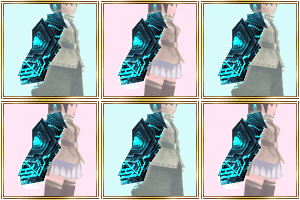
- Additional Gear: "Replica Gauntlet"

Don't miss this chance and check them out in the Item Shop!


- Bug Reports -

We have confirmed the issue that some players' character data doesn't correspond with their accounts.

If you find that something is wrong with the character data in your account, please contact us immediately via the inquiry form in our official website.

Also, please keep the current state of the account to prevent other bugs.

- The story doesn't go on to the next in the mission "Souls of the Soulless" even if you defeat the boss "Ushilth".

If you have already defeated "Ushilth" and mission has stalled, please go back to "3rd Palace: Forecourt".

- When you change a character's face, and then create a new character and login, the face will be applied to the new character.

It will be fixed by changing equipment and re-login.

- Crops are not displayed for planters in Invitation Mode.

- Some seeds produce unintended harvests under certain conditions.

We are investigating the causes of these issues, so please be patient until they are fixed.


- Reinstalling App from "Google Play" -

It may take time to download the new app from "Google Play" if the devices have updated "Google Play".

If the new app is not updated, please check "Google Play" later.

If the new app is not still updated after a while, please try uninstall and reinstall the app.

Thank you for your cooperation.

Iruna Team


 Past notifications Latest notifications