▼How to Confirm Your Google Account
■Question
I forgot my Google Account. How can I confirm it?
◆Answer
You can check your Google Account on the current Android device in the following steps.
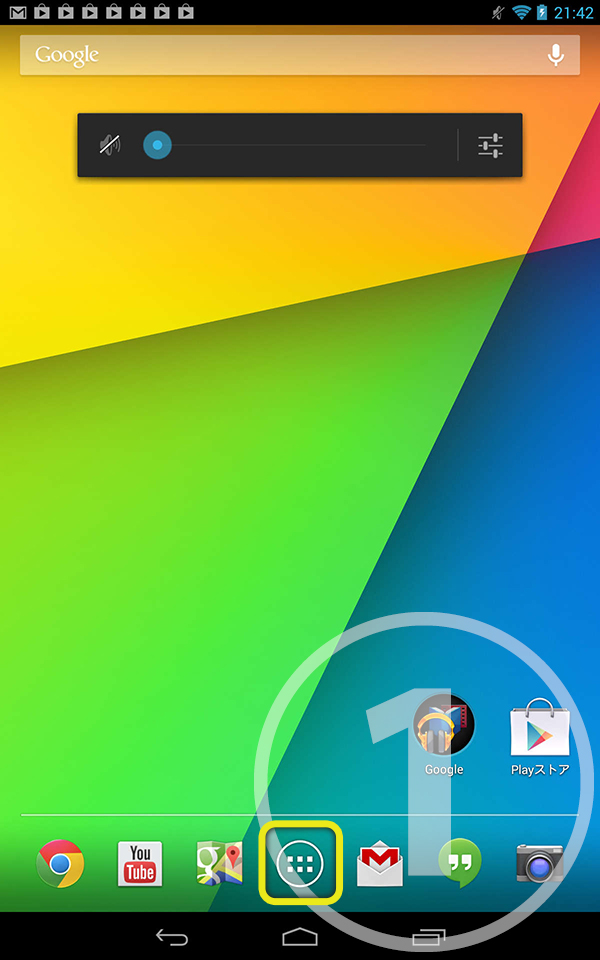
1. Tap settings icon at the bottom of Home screen.
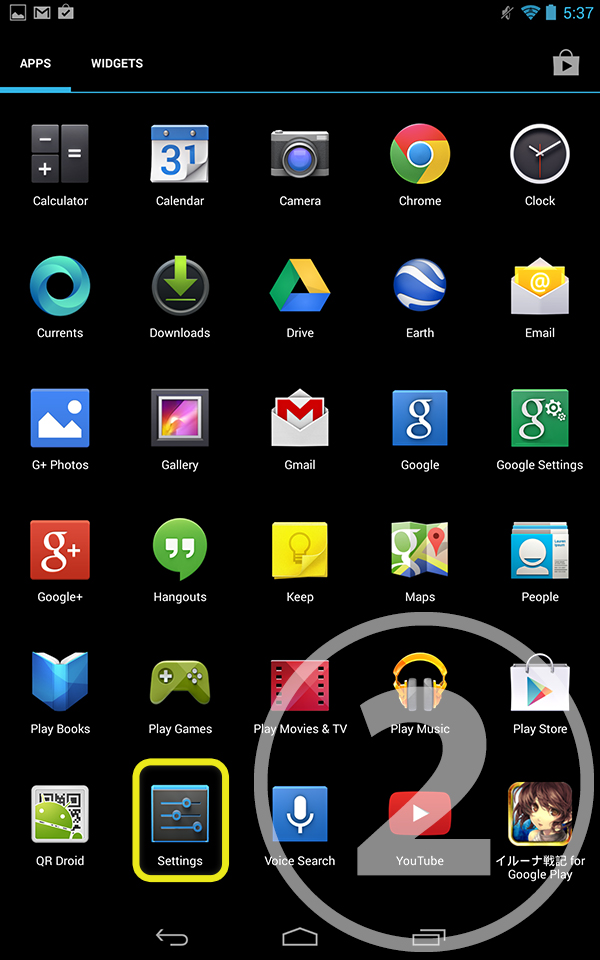
2. Tap settings icon in the application list.
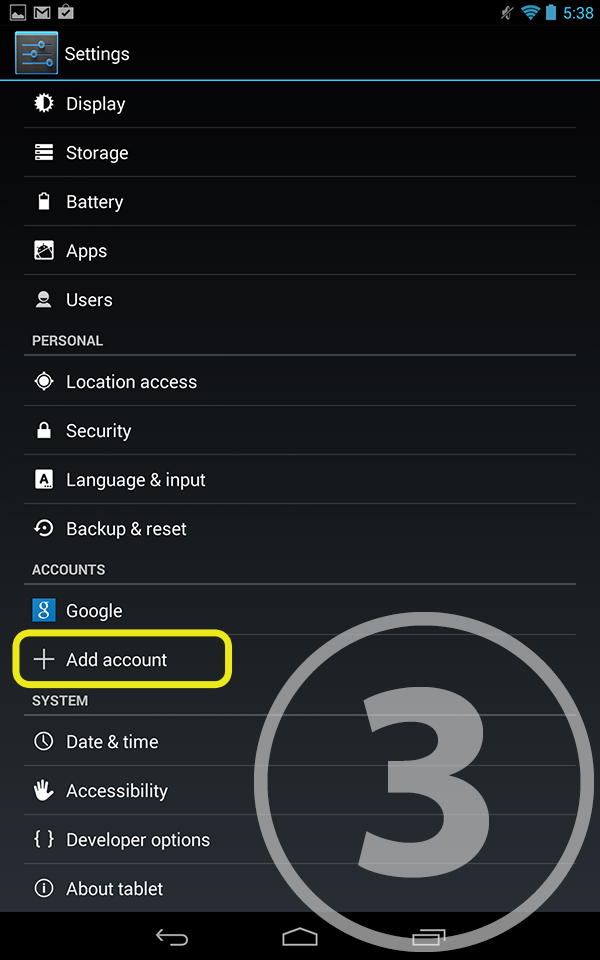
3. Tap "Google" in the account category.
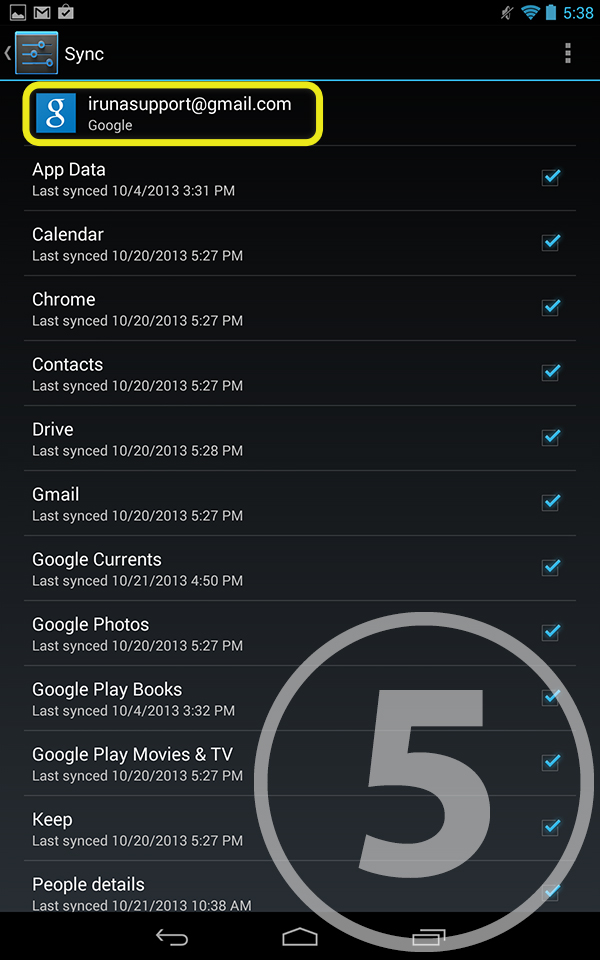
4. The current Google Account will be displayed in the account category.
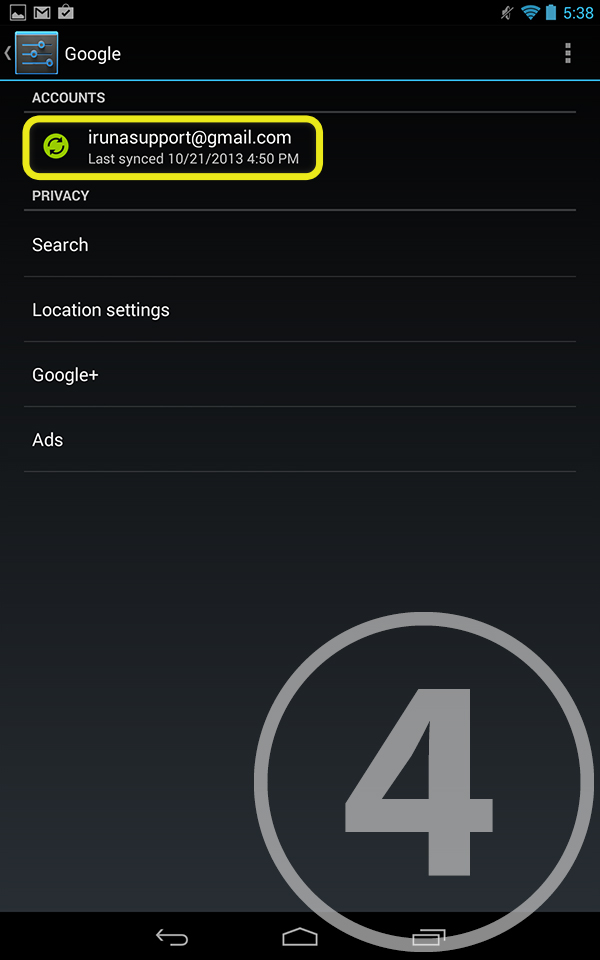
5. The details will be displayed when you tap the Google Account.
*This is a common description for android devices, however there can be small differences depending on devices.
▼Phone replacement
■Question
Do I need to register for replace phone models?
◆Answer
Character data is verified by the registered ID.
Even with the deletion of the application, or replacement of phone,
you will be able to continue your game with the same character data by using the same ID and password.
